Always-On AI Agents: What Business Professionals Must Learn Before Work Gets Automated Around Them
By Melverick Ng | Published | Updated | 8 min read
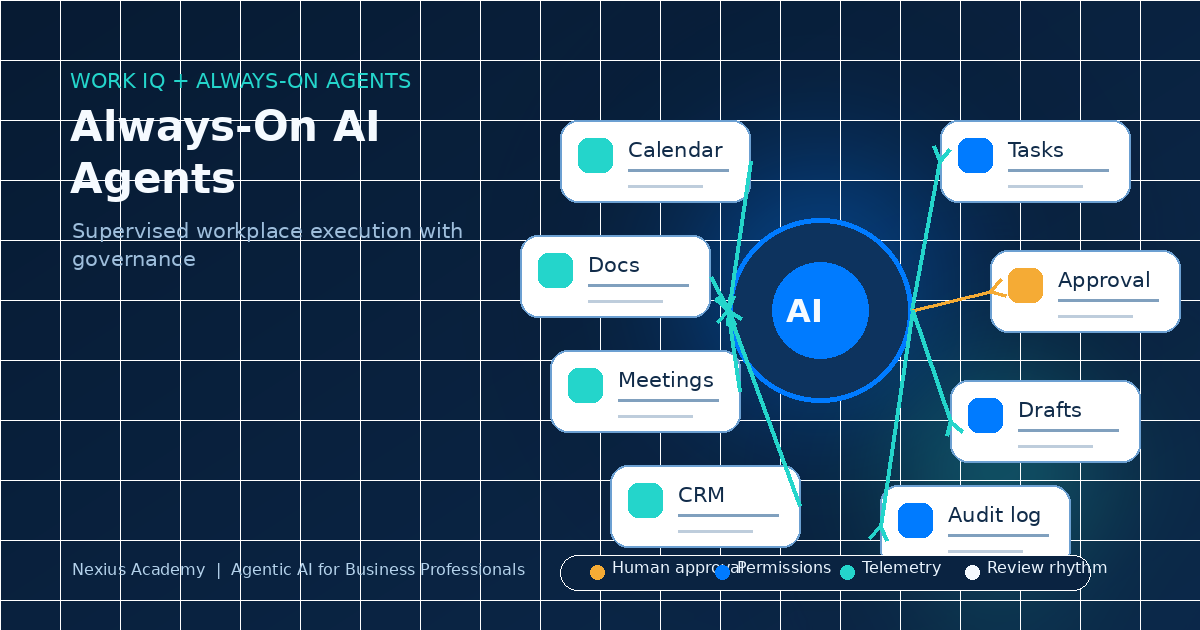
The next workplace AI shift is not a better chatbot.
It is AI that understands the flow of work and stays active around it.
Microsoft introduced Scout as an always-on personal agent inside Microsoft 365, and announced Work IQ APIs as an intelligence layer designed to understand how work gets done across organisations. Microsoft also recently positioned Copilot inside small-business Microsoft 365 plans.
For business professionals, the message is clear: AI is moving closer to calendars, documents, meetings, emails, CRM updates, approvals, and daily operating rhythms.
The skill is no longer just asking AI for an answer. The skill is learning how to define, supervise, and improve the work AI is allowed to touch.
Trend Basis
On 2 June 2026, Microsoft announced Scout, described as an always-on personal agent grounded across Microsoft 365 apps, and Work IQ APIs, described as an intelligence layer for how work gets done. This followed Microsoft 365 Business with Copilot for small businesses, announced on 28 May 2026. The trend is practical: AI is being embedded into the work graph, not left as a side chat window.
1.What Is an Always-On Workplace Agent?
An always-on workplace agent is AI that can stay connected to the context of work: documents, messages, tasks, meetings, workflows, and business systems. It is not waiting for a single prompt in isolation. It is designed to notice context, prepare work, recommend action, and support follow-through.
In a real company, that may mean helping with:
- Summarising meeting decisions into tasks.
- Preparing follow-up emails with the right customer context.
- Flagging missing fields in CRM or finance records.
- Drafting approval packs from scattered documents.
- Reminding teams when a workflow is stuck.
- Routing exceptions to the right human owner.
This is powerful, but it also means vague work habits become visible quickly. If the company cannot explain how work should move, the agent will inherit the mess.
Next Step
Download the SME Workflow Checklist
Get the exact checklist we use to spot high-ROI automation opportunities in under 15 minutes.
2.Why This Matters for Non-Technical Teams
Always-on agents sit close to normal business work. That means operations managers, finance teams, sales managers, HR teams, and customer service leads cannot outsource all thinking to IT.
The people closest to the workflow must be able to answer:
- What is the trigger for this workflow?
- What data can the agent use?
- What output format is considered acceptable?
- Which actions can be automated safely?
- Which steps require human approval?
- What must be logged for audit and learning?
Domain experts become AI workflow architects. They do not need to become software engineers. They do need to describe good work clearly enough that an agent can support it safely.
3.The Skill Shift: From Prompting to Operating Design
Prompting is still useful, but it is not enough. When AI becomes embedded in the work graph, professionals need operating design skills.
Workflow mapping
Break work into triggers, inputs, decisions, outputs, owners, and exceptions. "Help with customer follow-up" is too broad. "Draft a follow-up within two hours after a demo, using meeting notes and CRM stage, then send to the account owner for approval" is a workflow.
Context design
Decide which documents, policies, records, templates, and customer histories the agent should use. More context is not always better. Trusted context beats noisy context.
Approval design
Separate preparation from execution. The agent can draft, classify, compare, and recommend. Humans should approve sensitive emails, payments, discounts, legal commitments, HR decisions, and anything that changes customer trust.
Next Step
Check Your SkillsFuture Subsidy
See your estimated net payable fee and eligibility path in under 60 seconds.
Check My SubsidyRelated Course Module
Module: Build Your First Agentic Workflow Blueprint
Learn how to map, automate, and test one real workflow from your own business during class.
See module details4.The Risk: Invisible Automation
The biggest risk is not that one agent makes one mistake. The bigger risk is that many agents start helping across the business and nobody knows what they touched, what they used, who approved the output, or whether the result improved.
This is why professionals need to understand basic governance:
- Agent inventory: which agents exist and who owns them.
- Permission boundaries: what systems and data each agent can access.
- Telemetry: what decisions, actions, exceptions, and approvals are logged.
- Review rhythm: how humans inspect performance and remove broken workflows.
Governance is not bureaucracy. It is how AI becomes usable in a real company.
5.What to Practise in Training
A useful AI course should not stop at tool tours. Professionals should practise building one workflow blueprint they can explain, test, and improve.
- Pick one real workflow from your role.
- Map the current manual steps.
- Identify the data sources and weak spots.
- Define what the agent may prepare versus execute.
- Create test cases for normal, missing, duplicate, sensitive, and exception scenarios.
- Design a simple dashboard for time saved, error rate, approval rate, and rework.
That is the difference between learning AI as a toy and learning AI as operating capability.
Final Thought
Always-on agents will make work faster. But speed without structure creates faster confusion.
The professionals who win will not be the ones who memorise the most AI tools. They will be the ones who can turn messy work into clear workflows, safe approvals, and measurable outcomes.
Orchestrate. Do not operate blindly.
Sources
- Microsoft: Introducing Microsoft Scout
- Microsoft: Announcing the new Work IQ APIs
- Microsoft: Microsoft 365 Business with Copilot for small business
About the Trainer
Melverick Ng is Founder of Nexius Labs and Master Trainer at Nexius Academy. He has trained business teams and non-technical professionals to design practical AI workflows for sales, operations, and customer support.
Talk to a Course Advisor