Agentic AI Cost Control: What Business Professionals Must Learn Before Agents Start Executing Work
By Melverick Ng | Published | Updated | 7 min read
Agentic AI is not just a better chatbot. It is software that can prepare work, use tools, move information across apps, and sometimes change business records.
That creates a new skills gap.
Most professionals are still learning how to prompt. The next skill is different: learning how to design the work around the AI so it does not create expensive rework, risky shortcuts, or invisible decisions.
Recent market signals point in the same direction: agentic AI cost pressure, enterprise orchestration rebuilds, trust failures around data and advice, and growing builder activity around agent harnesses and security training. The operator implication is simple: AI execution gets expensive when orchestration is missing.
The Skill Is Not “Better Prompting”
Prompting helps you ask better questions.
Orchestration helps you build safer workflows.
If an AI agent is drafting a customer reply, checking a spreadsheet, preparing a purchase order, updating a CRM field, or summarising finance exceptions, the prompt is only one part of the system.
Business professionals need to know:
- what job the agent owns;
- which data source it can trust;
- what context must be included;
- what tools it may use;
- where human approval is required;
- what needs to be tested;
- what must be logged.
This is why domain experts matter. The person who understands the workflow is often the best person to design the AI system, even if they are not the person writing the code.
Next Step
Download the SME Workflow Checklist
Get the exact checklist we use to spot high-ROI automation opportunities in under 15 minutes.
Five Capabilities Every Team Needs
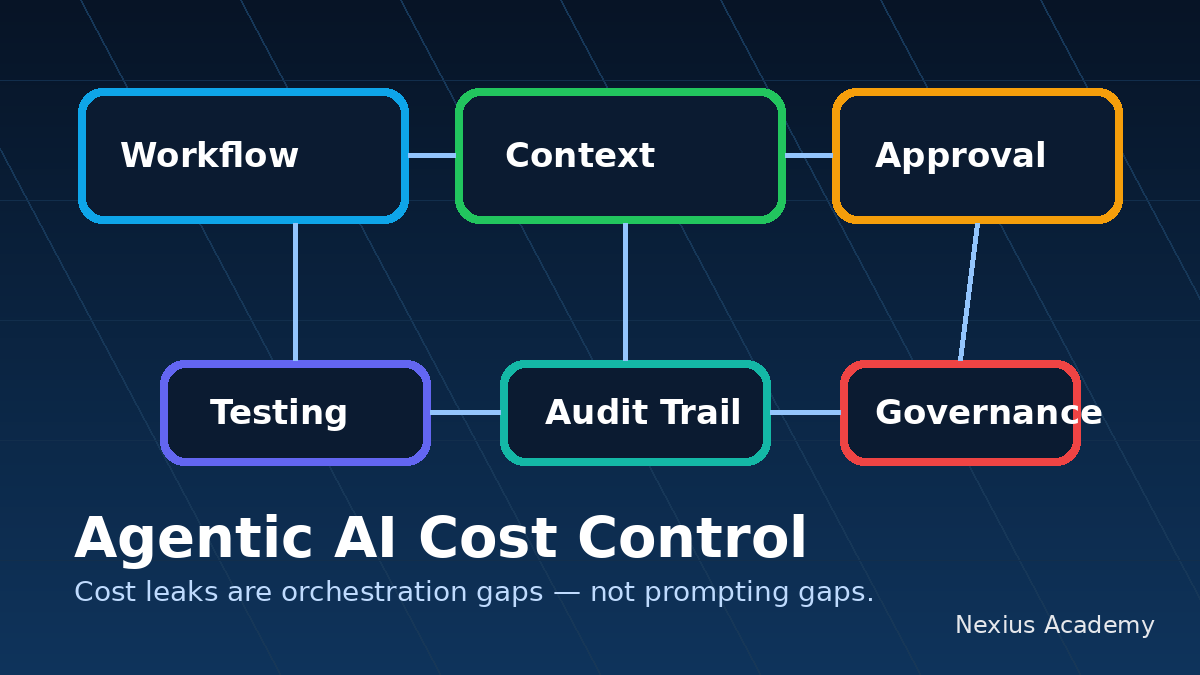
1. Workflow mapping
Before using an agent, map the current workflow. Where does the work start? What information is needed? Who approves? What are the exception paths? Where does rework happen?
AI should not be dropped into a messy process and expected to fix it.
2. Context design
Agents need the right operating context: policies, examples, templates, source-of-truth data, decision rules, and boundary conditions. Context design is how business knowledge becomes usable by AI.
3. Approval gates
Not every task needs approval. But money movement, customer-facing messages, public posts, deletion, compliance-sensitive decisions, and unusual exceptions should not be fully automated without a human gate.
The goal is not to check everything. The goal is to place human judgment where risk is highest.
4. Testing and evaluation
Teams need to test agent workflows before trusting them. That means checking outputs against real cases, edge cases, bad inputs, stale data, and exception scenarios.
If you cannot test the workflow, you cannot manage it.
5. Governance and auditability
A useful AI workflow leaves a trail. What input was used? Which data was retrieved? What did the agent produce? Who approved it? What action was taken?
Auditability is not only for large enterprises. It is how SMEs build trust without relying on screenshots and memory.
Next Step
Check Your SkillsFuture Subsidy
See your estimated net payable fee and eligibility path in under 60 seconds.
Check My SubsidyRelated Course Module
Module: Build Your First Agentic Workflow Blueprint
Learn how to map, automate, and test one real workflow from your own business during class.
See module detailsThe Professional Shift
The most valuable business professionals will not be the ones who use the most AI tools. They will be the ones who can translate domain knowledge into controlled AI workflows.
Finance managers will design finance agents. Operations leads will design operations agents. Sales teams will design CRM agents. L&D teams will help the workforce move from AI awareness to real adoption.
This is the shift from operating every task manually to orchestrating digital coworkers.
Practical Exercise
Pick one workflow that already creates manual rework. Answer these five questions:
- What should the agent do?
- What source of truth should it use?
- What tool access should it have?
- Where must a human approve?
- What evidence should be logged?
If your team cannot answer those questions, the next step is not a bigger AI tool.
The next step is AI workflow training.
Sources
- The Next Web: AI advice and critical-thinking risk
- IBM: Agentic AI workflows and enterprise operations
- MIT Sloan: Agentic AI, explained
About the Trainer
Melverick Ng is Founder of Nexius Labs and Master Trainer at Nexius Academy. He has trained business teams and non-technical professionals to design practical AI workflows for sales, operations, and customer support.
Talk to a Course Advisor